
Recover Username/Password for NEOGOV
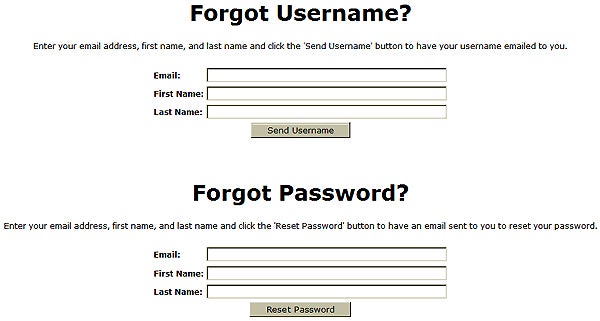
If you’ve forgotten your Username and/or Password, it is possible to recover them if you registered a valid email address.
To recover either or both, you will need to go to the “I Forgot My Username or Password” link on the account login page.
Complete the information required and click the “Send Username” and/or “Reset Password” buttons as appropriate. The information will be sent to the email address you registered with your account. Be sure your account allows incoming emails from noreply@governmentjobs.com. If you check your email account and do not see the email(s) for your username and/or password, check your spam and junk mail folders.
In the event that you forget your login information and you can no longer access the email address shown in your account, you will have to create a new account and application form.
If you are unable to access your account or the system indicates you already have an account, please contact NEOGOV Customer Support at 1-855-524-5627.
If you must create a new account, your previously submitted applications will remain active; however, you must contact us to update contact information on your previous account.
For assistance relating to West Virginia jobs and the application process, contact the Division of Personnel Staffing Section at 304-558-3950.
Reminders:
- Applicants should always use the same account to apply. NEVER use another person's account under any circumstances.
- All new passwords must be 8 characters long. Passwords must: contain: at least one letter (any case), at least one number, and must contain at least one special character, such as ! @ # $ % ^ & * ( ) { } [ ].
- Be sure to remember or write down your account Username and Password and keep it secure.
- Be sure to keep your account email address updated. If your email address changes, it can be updated in your account under "Account Information."